

Simplenote 2.24.0

Download Simplenote for Windows, macOS, Linux and Android

Simplenote: The Ultimate Tool for Effortless Note-Taking
In today’s fast-paced world, staying organized and keeping track of ideas, tasks, and important information is essential. Enter Simplenote, a minimalist note-taking app designed to make capturing and managing notes as seamless as possible. Whether you’re a student, professional, writer, or just someone who loves to jot down thoughts, Simplenote offers a clean, distraction-free experience that helps you focus on what matters.
What is Simplenote?
Simplenote is a free, lightweight note-taking application developed by Automattic, the company behind WordPress. Its core philosophy revolves around simplicity and speed, stripping away unnecessary features to provide a straightforward, easy-to-use interface. With Simplenote, you can create notes, lists, and ideas quickly and access them anytime, anywhere.
Key Features of Simplenote
1. Clean and Minimal Interface
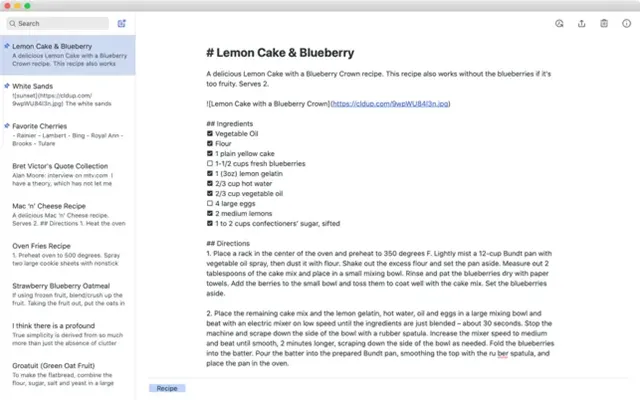
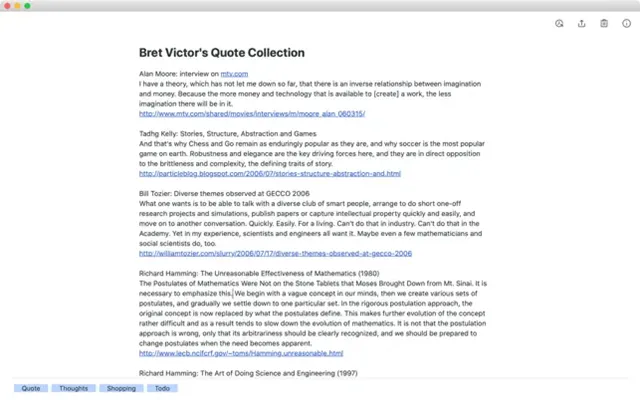
Unlike many note-taking apps loaded with complex features, Simplenote keeps things simple. The interface is intuitive, with no clutter, allowing you to focus solely on your notes without distractions.
2. Cross-Platform Syncing
Simplenote works across multiple platforms including Windows, macOS, Linux, iOS, and Android. Your notes sync in real-time across all devices, ensuring you have access to your information wherever you go.
3. Markdown Support
For users who prefer formatting their notes, Simplenote supports Markdown. This feature is perfect for writers and developers who want to add headings, lists, links, and other styles without complicated formatting tools.
4. Tagging and Search
Organize your notes efficiently using tags. Simplenote also offers a powerful search function, allowing you to find any note quickly by keywords or tags.
5. Version History
Made a mistake or want to revert to an earlier version of a note? Simplenote saves a version history, so you can browse and restore previous versions effortlessly.
6. Collaboration
Share your notes with others and collaborate in real-time. Simplenote’s sharing feature is simple, making it easy to work on projects or lists with friends, family, or colleagues.
Why Choose Simplenote?
If you’re overwhelmed by feature-rich note-taking apps that can sometimes slow you down, Simplenote’s minimalist approach is refreshing. It’s perfect for users who want a fast, reliable, and distraction-free environment to jot down ideas, track tasks, or draft content without getting bogged down by bells and whistles.
Getting Started with Simplenote
Getting started is easy. Simply download the app on your preferred device or use the web version. Create a free account to sync your notes across devices. From there, start typing away — your notes will be saved automatically.
Conclusion
Simplenote proves that less can be more. Its simplicity, speed, and seamless syncing make it a standout choice for anyone looking for an efficient way to capture and organize notes. Whether you’re brainstorming ideas, making to-do lists, or writing drafts, Simplenote provides a clean and reliable platform to keep your thoughts organized and accessible.
Give Simplenote a try today and discover the joy of effortless note-taking!
Title: Simplenote 2.24.0
File name: Simplenote-win-2.24.0-x64.exe
File size: 103.02 MB/64 bit.
Supported OS: Windows 11, Windows 10 32/64 bit, Windows 8 32/64 bit, Windows 7 32/64 bit.
Languages: Multiple languages
License: Free
Date added: November 20, 2025
Developer: Automattic
Website: simplenote.com
Category: Windows Apps, Office Tools.
Download Simplenote for Windows, macOS, Linux and Android